
Remote printer management, and do I need it for my business?
Remote Printer Management: A Complete Guide
Remote printer management allows businesses to monitor, manage, and troubleshoot networked printers from a central dashboard rather than checking each device individually.
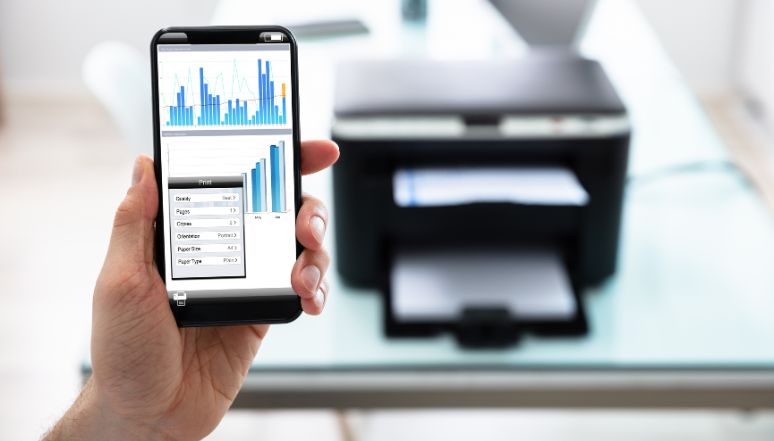
For businesses with multiple printers, remote management provides greater visibility across the entire printer fleet. IT teams or service providers can monitor device status, identify potential problems, and perform certain maintenance tasks remotely without requiring someone to be physically present at each machine.
What Does Remote Printer Management Include?
Remote printer management can typically include:
- Status monitoring: Provides visibility into which devices are working properly, which require attention, and where potential problems may be developing.
- Toner tracking: Monitors toner levels remotely and helps identify when supplies are running low.
- Firmware updates: Allows firmware updates to be scheduled and installed remotely, often outside normal business hours.
- Remote diagnostics: Provides access to device information that can help technicians investigate and troubleshoot problems without immediately requiring an onsite visit.
- Fleet reporting: Collects device information in one place, making it easier to monitor usage, performance, and maintenance requirements.
- Remote configuration: Allows certain settings, updates, and device changes to be managed remotely.
Depending on the platform being used, remote printer management can also integrate with broader print management features such as secure print release, user access controls, usage monitoring, and cost tracking.
Why Your Business Needs Remote Printer Management Software
Managing printers individually can make it difficult to see what is happening across an entire fleet. Problems may only become apparent when a device stops working or a user reports an issue.
Remote printer management software provides a centralised view of your printing environment and allows administrators or service teams to monitor multiple devices from one location.
Some of the key benefits include:
- Reduced downtime: Potential issues can be identified early, allowing problems to be addressed before they significantly disrupt productivity.
- Fewer onsite visits: Tasks such as diagnostics, firmware updates, and certain configuration changes can often be completed remotely.
- More predictable costs: Usage information can help businesses understand printing activity and better plan spending on toner, maintenance, and other consumables.
- Improved security: Features such as secure print release and usage logs can help prevent sensitive documents from being left unattended in output trays.
- Better technical support: Remote access to device information gives technicians more information to work with when diagnosing problems and determining whether an onsite visit is necessary.
What Software Is Used for Remote Printer Management?
There are several remote printer management and print management platforms available. The right solution depends on the printer models being used, the size of the printer fleet, and the features a business needs.
Some platforms focus primarily on device monitoring, maintenance, and service support, while others provide additional features such as user management, print security, cost allocation, usage tracking, and cloud printing.
Common examples include:
- Kyocera Fleet Services (KFS): Designed for remote device monitoring, diagnostics, and service management.
- PaperCut: Provides print management features such as secure printing, user controls, usage tracking, and cost management.
- uniFLOW: Offers print management, secure printing, user authentication, reporting, and document workflow features.
Other printer manufacturers and software providers also offer their own remote management solutions.
Kyocera Fleet Services (KFS)
Kyocera Fleet Services is a cloud-based platform that connects compatible printers and multifunction devices to a central management system. It allows devices to be monitored and managed remotely.
Remote Monitoring and Diagnostics
The platform provides visibility into the status of connected devices. Alerts can notify service teams when a problem occurs, while available diagnostic information can help identify potential issues remotely.
Automatic Toner Alerts and Replenishment
Toner levels can be monitored automatically, allowing businesses or service providers to identify when supplies are running low. This can help reduce the risk of a printer running out of toner during an important print job.
Scheduled Firmware Updates and Remote Configuration
Firmware updates can be scheduled for suitable times to minimise disruption. Certain configuration changes and device maintenance tasks can also be performed remotely.
Counter Reporting
Meter and counter information can be collected automatically, providing accurate usage information without requiring staff to manually record readings from individual machines.
How Do You Set Up Remote Printer Management?
Setting up remote printer management generally involves connecting compatible printers to the chosen management platform and installing any required monitoring software or agents.
The setup process may include:
- Connecting compatible devices to the management platform.
- Configuring monitoring settings and alerts.
- Setting up reporting for device usage, status, and maintenance.
- Configuring user access and security settings where applicable.
- Testing the connection to ensure device information is being reported correctly.
- Establishing ongoing monitoring and maintenance procedures.
Once configured, IT teams or service providers can monitor device status, review alerts, investigate faults, manage updates, and track consumable levels remotely.
Manage Your Printer Fleet Remotely
Remote printer management can make it easier for businesses to maintain multiple printers and multifunction devices from a central location. Instead of responding to problems individually, businesses can use monitoring, alerts, reporting, and remote support tools to maintain better visibility across their entire printing environment.
Whether your business operates a single printer or a large fleet of networked devices, the appropriate remote management solution can help simplify maintenance, improve visibility, and reduce the amount of manual printer administration required.

Leave a reply